Choosing an AI video editing tool can be confusing. There are dozens of options, and each one is designed for a different type of creator, workflow, and level of experience.
Some tools are built for professional video editing, while others focus on turning long videos into short clips, editing videos by changing text, creating videos with AI, or making social media content faster.
In this guide, we’ll look at 10 popular AI video editing tools in 2026 and explain what each one is best suited for, so you can choose a tool based on your actual video editing needs.
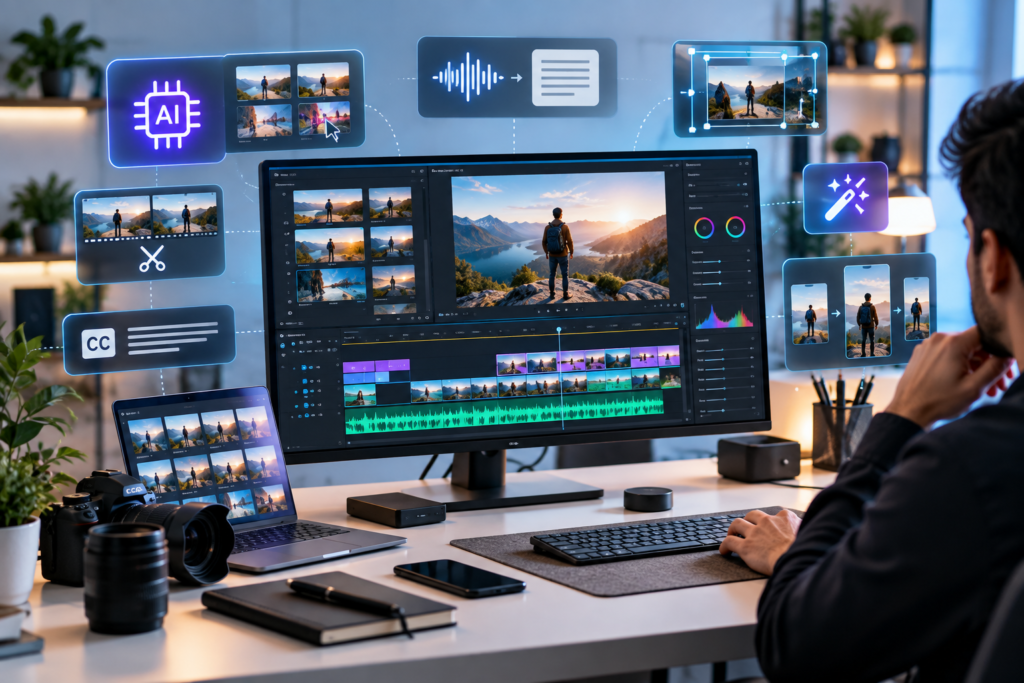
What to Look for in an AI Video Editing Tool in 2026
The right AI video editor depends on what you are trying to create.
Before choosing a tool, consider:
- The type of videos you create
- Whether you edit long-form or short-form content
- How much manual control you need
- Your video editing experience
- Whether you prefer desktop software or browser-based editing
- Whether you need AI generation or mainly AI-assisted editing
- Whether you need automatic captions, transcription or audio enhancement
- Your budget and preferred payment model
For example, a YouTube creator may need strong editing and audio tools, while a social media creator may care more about automatic captions, short-form clips and fast editing.
Professional editors may prefer advanced AI features inside traditional editing software, while beginners may prefer a simpler browser-based workflow.
1. Descript Best for: Editing videos by editing text
Descript takes a different approach to video editing. Instead of relying entirely on a traditional timeline, you can edit video through its transcript.
Upload a video, allow Descript to transcribe it, and then edit the text. Removing a sentence from the transcript can remove the corresponding section of the video.
This makes Descript particularly useful for podcasts, interviews, tutorials, webinars, talking-head videos and other content where spoken words are central to the video.
Descript also includes AI-powered features for tasks such as removing filler words, improving audio, generating or editing content and creating video assets.
Its current product also combines recording, screen capture, video editing and AI-assisted workflows in one platform.
Why consider Descript?
- Text-based video editing
- Automatic transcription
- Filler-word removal
- AI-assisted editing
- Screen recording
- Audio enhancement
- Useful for podcasts and talking-head content
Best suited to: YouTubers, podcasters, educators, interview creators and businesses producing talking-head videos.
2. Adobe Premiere Pro
Best for: Professional editing with AI assistance
Adobe Premiere Pro remains a powerful option for editors who want traditional timeline-based video editing combined with modern AI features.
Adobe has continued adding AI capabilities to Premiere in 2026, including Object Mask, Media Intelligence, Generative Extend, Text-Based Editing and AI-assisted workflows.
Object Mask can help editors isolate and track subjects, while Media Intelligence allows editors to search footage using descriptions. Text-Based Editing can also help create rough cuts from automatically generated transcripts.
Premiere’s AI tools are primarily designed to speed up editing rather than completely replace the editor.
That distinction is important for professional projects where the editor still needs control over storytelling, pacing, colour, audio and final production.
Why consider Adobe Premiere Pro?
- Professional timeline editing
- AI-powered Object Mask
- Media Intelligence
- Text-Based Editing
- Generative Extend
- Speech-to-text
- AI audio tools
- Professional colour and editing controls
Best suited to: Professional editors, agencies, filmmakers, YouTubers and creators who need detailed control.
3. DaVinci Resolve Best for: Professional editing, colour and post-production
DaVinci Resolve is another major professional editing platform that combines video editing, colour correction, visual effects, motion graphics and audio post-production.
The current DaVinci Resolve 21 release includes new AI-powered capabilities such as AI-based media search and additional AI tools alongside its established professional editing and colour workflows.
One of its major advantages is that it provides a broad professional post-production environment rather than focusing exclusively on AI video generation.
For creators who want to learn professional video editing while also having access to AI-assisted features, DaVinci Resolve can be an interesting option.
Why consider DaVinci Resolve?
- Professional video editing
- Advanced colour correction
- Visual effects
- Audio post-production
- AI-powered tools
- Desktop workflow
- Free version available
Best suited to: Professional editors, filmmakers, serious YouTubers and creators who want extensive control over their projects.
4. Runway
Best for: AI-powered creative video workflows
Runway is positioned differently from traditional editing applications.
Rather than simply helping you cut existing footage, Runway focuses heavily on generative AI and creative video workflows.
This makes it useful when you want to experiment with AI-generated visuals, transform existing footage or create visual elements that would normally require additional production work.
For creators interested in generative video and AI-assisted visual experimentation, Runway can be a useful addition to a broader editing workflow.
Why consider Runway?
- AI-powered video generation
- Generative visual workflows
- Creative video experimentation
- AI-assisted editing
- Useful for visual effects and concept development
Best suited to: Creative professionals, filmmakers, designers, marketers and creators experimenting with generative video.
Important: Runway is not necessarily a replacement for a traditional professional editor. Many creators may use it alongside another editing application.
5. CapCut Best for: Social media and short-form video
CapCut has become closely associated with short-form content creation and social media editing.
Its AI video editing workflow includes tools for trimming clips, rearranging scenes, captions and other editing tasks. CapCut also offers AI generation and avatar-related features, although availability can vary by region.
For creators producing Instagram Reels, YouTube Shorts, TikTok-style content and other social videos, a fast editing workflow can be more important than the extensive controls found in professional desktop applications.
CapCut is therefore particularly interesting for creators who want to move quickly from raw footage to a social-ready video.
Why consider CapCut?
- Fast social media editing
- AI-assisted video creation
- Captions
- Templates and effects
- Browser and desktop workflows
- AI avatars and generation features
Best suited to: Social media creators, beginners, influencers and creators producing Shorts and Reels.
Note: Some CapCut features are region-dependent, so availability should be checked before choosing the platform
6. OpusClip Best for: Turning long videos into short clips
One of the biggest challenges for content creators is repurposing long-form content.
You may have a one-hour podcast, webinar, interview or YouTube video, but creating multiple Shorts or Reels from it manually can take considerable time.
OpusClip focuses on this type of workflow.
Instead of starting with a blank timeline, the basic idea is to take longer content and identify sections that can be turned into shorter videos.
This makes the platform particularly relevant to creators who already produce long-form content and want to increase the amount of short-form content they can publish.
Why consider OpusClip?
- Long-form to short-form workflow
- AI-assisted clip selection
- Short-video creation
- Social media repurposing
- Useful for podcasts and interviews
Best suited to: Podcasters, YouTubers, coaches, educators and businesses repurposing long videos into Shorts and Reels.
7. VEED Best for: Browser-based video editing
VEED is designed around an online video editing workflow.
This can be useful for creators who don’t want to install complicated desktop software or who want to work from a browser.
Browser-based editors can be particularly convenient for social media teams, marketers and businesses that need to create videos quickly without building a traditional professional editing setup.
VEED also combines editing with AI-assisted features, making it useful for creators who need a relatively straightforward workflow for online video production.
Why consider VEED?
- Browser-based editing
- AI-assisted video workflows
- Captions and subtitles
- Social media content creation
- Online collaboration
- Accessible interface
Best suited to: Marketers, social media teams, businesses, educators and creators who prefer browser-based tools.
8. InVideo AI Best for: AI-assisted video creation and editing in the browser
InVideo has expanded beyond simple AI video generation.
In September 2026, InVideo introduced its new Editor, combining a browser-based multitrack timeline with an AI assistant that can perform editing tasks based on natural-language instructions.
For example, users can instruct the AI to shorten footage, clean up silences or make changes to a project while retaining control over the underlying timeline.
This makes the platform interesting for creators who want AI assistance without completely giving up manual editing control.
Why consider InVideo?
- Browser-based editor
- AI-assisted editing
- Multitrack timeline
- Natural-language editing instructions
- Audio and colour controls
- Useful for marketing and online content
Best suited to: Content marketers, businesses, YouTubers and creators who want AI assistance with a browser-based editing workflow.
9. Pictory Best for: Turning written or long-form content into videos
Pictory is particularly interesting for marketers, educators, bloggers and businesses that already have written content.
The platform supports workflows such as script-to-video, blog-to-video, text-based video editing, automatic captions and video highlights.
It can also work with existing videos. Pictory’s current editing tools can transcribe uploaded videos and allow users to make changes through the transcript, while also providing features such as removing filler words and silences.
That makes it useful for repurposing content rather than simply editing traditional footage from scratch.
Why consider Pictory?
- Script-to-video
- Blog-to-video
- Text-based editing
- Automatic captions
- Video highlights
- AI voiceovers
- AI-generated visuals
- Content repurposing
Best suited to: Bloggers, marketers, educators, course creators and businesses turning existing content into video.
10. Filmora Best for: Accessible desktop editing with AI features
Filmora sits between simple consumer video editors and more advanced professional applications.
Its appeal is that creators can access a traditional timeline-based editing environment without necessarily dealing with the learning curve associated with professional tools.
Filmora also incorporates AI-assisted features into its editing workflow, making it relevant for creators who want to experiment with AI while still using a familiar desktop editor.
For someone moving beyond basic mobile editing but not yet ready to commit to a professional application such as Premiere Pro or DaVinci Resolve, Filmora can be worth considering.
Why consider Filmora?
- Desktop video editing
- Traditional timeline workflow
- AI-assisted editing features
- Effects and transitions
- Beginner-friendly approach
- Suitable for YouTube and social content
Best suited to: Beginners, intermediate creators, YouTubers and small businesses.
| Tool | Best suited for | Main workflow |
|---|---|---|
| Descript | Podcasts & talking-head videos | Edit by transcript |
| Adobe Premiere Pro | Professional editing | AI + traditional timeline |
| DaVinci Resolve | Professional post-production | Editing + colour + AI |
| Runway | Generative video | AI creation & visual workflows |
| CapCut | Reels & Shorts | Fast social editing |
| OpusClip | Short-form repurposing | Long video → short clips |
| VEED | Browser-based editing | Online video creation |
| InVideo AI | AI-assisted editing | Natural-language + timeline |
| Pictory | Content repurposing | Script/blog → video |
| Filmora | Beginner/intermediate editing | Desktop timeline + AI |
Which AI Video Editing Tool Should You Choose?
There isn’t one AI video editor that is perfect for every creator.
Instead, start with the type of content you produce.
If you create podcasts or interviews
Descript is worth exploring because its transcript-based workflow is designed around spoken content.
If you need professional editing
Consider Adobe Premiere Pro or DaVinci Resolve if you need detailed control over editing, colour, audio and post-production.
If you mainly create Reels and Shorts
CapCut can be useful for fast social-media-oriented editing.
If you want to turn long videos into Shorts
Look at OpusClip and similar repurposing-focused tools.
If you want AI-generated visuals
Runway is worth exploring for generative video and creative AI workflows.
If you want to work entirely in your browser
VEED and InVideo offer browser-based workflows, while Pictory is another option for content-focused video creation.
If you turn blogs and written content into videos
Pictory is particularly relevant because of its script-to-video and blog-to-video workflows.
If you want a simpler desktop editor
Filmora may be easier to approach than a professional editing suite.
AI Video Editing vs Traditional Video Editing
AI doesn’t necessarily mean that traditional video editing is disappearing.
In many professional workflows, AI is being used to automate repetitive tasks while the editor remains responsible for creative decisions.
For example, AI can help with:
- Transcription
- Captions
- Finding footage
- Removing filler words
- Scene detection
- Subject masking
- Audio cleanup
- Short-clip creation
- Content repurposing
- Generating visual assets
The editor still needs to decide what story to tell, which footage to use, how the video should feel and whether the final result actually communicates the intended message.
Adobe’s current Premiere features illustrate this approach: AI assists with tasks such as masking, searching footage, transcription and clip extension while the editor retains control over the project.
How to Choose the Right AI Video Editor
Before paying for an AI video editing platform, ask yourself five questions:
1. What type of videos do I create?
A podcast editor has very different requirements from someone creating cinematic videos or Instagram Reels.
2. Do I need AI generation or AI assistance?
These are not the same thing.
Some platforms focus on generating new video content, while others use AI to make traditional editing faster.
3. How much control do I need?
If you want detailed control over every frame, a professional editor may be more appropriate.
If speed is more important, a simplified AI workflow may be preferable.
4. Where do I want to edit?
Decide whether you prefer:
- Desktop software
- Browser-based tools
- Mobile editing
- Or a combination of platforms
5. Will I actually use the features I’m paying for?
More AI features don’t automatically mean a better workflow.
A tool with 50 features that you rarely use may be less useful to you than a simpler tool that solves your main problem quickly.
Final Thoughts
The AI video editing market in 2026 is no longer about finding a single tool that does everything.
Different tools are becoming increasingly specialised.
Descript focuses strongly on transcript-based editing.
Premiere Pro and DaVinci Resolve provide professional editing environments with AI assistance.
Runway focuses heavily on generative and creative AI workflows.
CapCut is well suited to fast social content.
OpusClip focuses on turning longer content into shorter clips.
VEED and InVideo provide browser-based workflows.
Pictory is particularly useful for content repurposing.
Filmora provides an accessible desktop editing experience.
The best choice depends on your workflow, your content and the amount of control you need.
Rather than choosing a tool because it appears at the top of a generic list, start by identifying the biggest problem in your current video editing process.
Then choose the tool that solves that specific problem.
Frequently Asked Questions
What is the best AI video editing tool in 2026?
There isn’t one universally suitable AI video editor. The right choice depends on your workflow. Descript is particularly suited to transcript-based editing, Premiere Pro and DaVinci Resolve to professional editing, CapCut to short-form social content, and Pictory to content repurposing.
Can AI completely edit a video for me?
Some AI platforms can automate significant portions of the editing process, but human review is still important. AI can help with tasks such as transcription, captions, clip selection, scene detection and audio enhancement, while creative decisions still benefit from human input.
Are AI video editors good for beginners?
Yes. Several AI video editors are designed to reduce the complexity of traditional editing. However, the easiest tool depends on what you are trying to create.
Can AI video editors create YouTube videos?
Yes. Several tools can help create, edit, caption, repurpose and prepare videos for YouTube. The appropriate tool depends on whether you are creating talking-head videos, tutorials, Shorts, AI-generated videos or professionally edited content.
Should professional editors use AI video editing tools?
AI can be useful for professional editors because it can automate repetitive tasks and speed up workflows. Professional editors can still maintain manual control over the final edit.
Editor's Note
Regalitho’s approach: We don’t believe there is a single AI tool that is automatically the best for everyone. We focus on helping you understand what each tool does, who it is for, and where it fits into your workflow.
AI tools change quickly, so features and availability can change over time. Always check the provider’s current website before purchasing a subscription.